

Table of Contents
Are you facing a Teen Patti Gold login problem and unable to enter your account? A login issue can be frustrating, especially when the game was working normally before. In most cases, however, the problem is related to a weak internet connection, an outdated app, temporary cache files, incorrect login information, or a temporary service issue.
The good news is that you can check most of these problems yourself. This guide explains the common reasons why Teen Patti Gold login is not working and provides simple solutions for Android and iPhone users.
Whether the game is stuck on the loading screen, the login button is not responding, the app keeps closing, or your account details are not being accepted, the following fixes can help you identify the problem.
Why Is Teen Patti Gold Login Not Working?
There can be several reasons behind a Teen Patti Gold login failure. Sometimes the problem comes from your own device or internet connection, while in other cases the app or its service may be experiencing a temporary issue.
The most common causes include a poor internet connection, an old version of the Teen Patti Gold app, incorrect account details, corrupted cache files, an expired session, insufficient phone storage, or a temporary server-side problem.
Before making major changes to the app, it is better to start with the simplest checks. This can save time and may solve the login issue within a few minutes.
Common Teen Patti Gold Login Problems
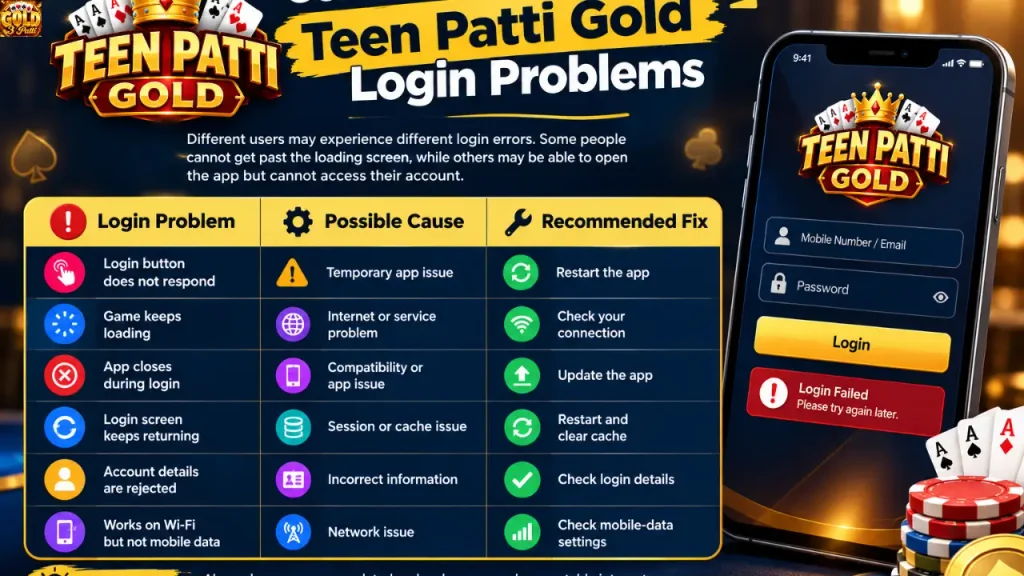
Different users may experience different login errors. Some people cannot get past the loading screen, while others may be able to open the app but cannot access their account.
| Login Problem | Possible Cause | Recommended Fix |
| Login button does not respond | Temporary app issue | Restart the app |
| Game keeps loading | Internet or service problem | Check your connection |
| App closes during login | Compatibility or app issue | Update the app |
| Login screen keeps returning | Session or cache issue | Restart and clear cache |
| Account details are rejected | Incorrect information | Check login details |
| Works on Wi-Fi but not mobile data | Network issue | Check mobile-data settings |
These are common possibilities, so the correct solution may depend on your specific device and the error you are seeing.
1. Check Your Internet Connection
A stable internet connection is one of the first things you should check when Teen Patti Gold is not logging in. If your connection is slow or keeps disconnecting, the game may remain stuck on the login screen or fail to connect to its service.
Try opening another website or app to see whether your internet is working normally. You can also switch between Wi-Fi and mobile data to determine whether the problem is related to one particular network.
If you are using Wi-Fi in Pakistan, restarting your router can also help if other apps and websites are experiencing connection problems. After changing the connection, open Teen Patti Gold again and try logging in.
2. Update the Teen Patti Gold App
An outdated application can sometimes create compatibility and login problems. Developers regularly release updates to improve performance, fix bugs, and maintain compatibility with newer operating systems.
Open the official app store on your device and search for Teen Patti Gold. If an Update button is available, install the latest version and then restart the game.
For Android users, download the application through Google Play. iPhone users should use the App Store. Avoid installing unknown or modified versions simply because they claim to fix login problems.
3. Close and Restart the Game
A temporary app error can sometimes prevent the login process from completing. Completely close Teen Patti Gold and remove it from your recent apps before opening it again.
If restarting the game does not help, restart your phone. A full device restart can clear temporary system processes that may be interfering with the application.
This is one of the safest troubleshooting methods because it does not remove your account information or change your game settings.
4. Clear Teen Patti Gold Cache on Android
Android users can try clearing the app’s cache if the game repeatedly freezes or gets stuck during login. Cache files are temporary data stored by an application to help it load faster.
The exact menu can vary depending on your phone brand, but the process is usually similar to:
Settings → Apps → Teen Patti Gold → Storage → Clear Cache
After clearing the cache, open the game and try logging in again.
Be careful when selecting Clear Data or Clear Storage. These options are different from clearing the cache and may remove locally stored application information or sign you out. If you are unsure about your account details, try the cache option first.
5. Check Your Login Information
If Teen Patti Gold opens normally but does not accept your login information, carefully check the details you are entering.
Make sure you are using the correct account and the same login method that was previously connected to it. Check for typing mistakes, unwanted spaces, or incorrect account information.
If you have forgotten your login details, use the recovery or support options provided through the official application rather than repeatedly entering incorrect information.
Do not share your password or verification code with another person who claims they can recover your account.
6. Teen Patti Gold Is Stuck on the Loading Screen
One of the most common complaints is a game that remains on the loading or login screen without opening completely.
Start by checking your internet connection. If your Wi-Fi is not working properly, switch to mobile data. If you are already using mobile data, try a reliable Wi-Fi connection.
You should also restart the app, restart your phone, and check whether an updated version of Teen Patti Gold is available. If the game remains stuck on the loading screen even after testing another network, the problem may not be related to your phone.
7. Teen Patti Gold Crashes During Login
If the game closes whenever you try to log in, the application or your device may have a compatibility or performance problem.
First, check that you have the latest version of the game. Then make sure your phone has enough free storage and that the operating system is reasonably up to date.
Restarting the phone can also help. Android users may additionally try clearing the application’s cache.
If the game continues to crash, reinstalling the official version may solve the problem. Before doing this, make sure you know how to access your existing account so that you do not accidentally create or use a different account.
8. Check for a Temporary Service Problem
Sometimes a login problem is not caused by your device at all. The service may be temporarily unavailable or undergoing maintenance.
If Teen Patti Gold was working normally and suddenly stopped allowing users to log in, wait a little while and try again after checking your internet connection and app version.
Do not immediately assume that your account has been blocked or deleted. A temporary technical problem can produce similar symptoms.
If the problem continues for a long time, use the official support option available in the application.
9. Reinstall Teen Patti Gold
If the app continues to malfunction after you have tried the basic fixes, reinstalling it may help. A damaged or incomplete installation can sometimes cause repeated crashes, loading problems, or login errors.
Before uninstalling the application, make sure you know the login information for your existing account.
Then remove the application and install the official version again from Google Play or the Apple App Store. Once installation is complete, open the game and try accessing your existing account.
Avoid downloading modified APK files from unknown websites. An unofficial application can create additional security and compatibility problems.
Teen Patti Gold Login Problem on Android
Android users have several troubleshooting options available. Start with the basics before changing application data.
Check your internet connection, update the game, restart your phone, and clear the Teen Patti Gold cache. Also check whether your device has enough available storage.
If the problem continues, make sure Android and important system components are updated. As a final step, consider reinstalling the official application.
If clearing the cache fixes the problem, you usually do not need to delete the entire application.
Teen Patti Gold Login Problem on iPhone
If you are using an iPhone, begin by checking your internet connection and restarting the application.
Then open the App Store and check for an available Teen Patti Gold update. Restart your iPhone and make sure there is enough free storage for the application to operate properly.
If the problem continues, reinstall the official App Store version. You can also use the support option available inside the game to report a problem.
What If Teen Patti Gold Works on Wi-Fi but Not Mobile Data?
If Teen Patti Gold works normally on Wi-Fi but does not connect through mobile data, the issue may be related to your mobile-data settings or network.
First, turn mobile data off and back on. Then check whether Teen Patti Gold is allowed to use mobile data on your phone.
You can also test another mobile network or Wi-Fi connection. If other applications are also having problems when you use mobile data, the issue may be related to your mobile network rather than Teen Patti Gold.
What If You Forgot Your Teen Patti Gold Login Details?
If you have forgotten your login information, avoid creating several new accounts while trying to recover the old one.
Instead, use the account recovery or support feature provided by the official application. Explain that you cannot access your existing account and provide only the information that official support requests.
Never give your password, one-time verification code, or other private account information to someone offering unofficial account recovery services.
Avoid Unofficial Teen Patti Gold Login Websites
When searching for Teen Patti Gold login, you may come across websites offering modified applications, unlimited chips, account recovery, or special login links.
Be careful with these websites. A page that asks you to enter your account details outside the official application may put your account information at risk.
For safer access, use the official application and its built-in support options. Do not install modified APK files simply because they promise to solve a login problem.
Quick Teen Patti Gold Login Fix
If you want to troubleshoot the problem quickly, follow these steps in order:
Check internet connection
↓
Close and reopen Teen Patti Gold
↓
Restart your phone
↓
Update the app
↓
Try another network
↓
Clear cache on Android
↓
Check your account details
↓
Reinstall the official app
↓
Contact official support
↓
Contact us
Starting with these basic solutions is better than immediately deleting the application or changing account settings.
Final Words
A Teen Patti Gold login problem does not always mean there is something wrong with your account. In many cases, the issue can be fixed by checking the internet connection, restarting the game, updating the application, or clearing temporary cache files.
If you are using Android, clearing the cache is a useful additional step. iPhone users can focus on restarting the app, checking for updates, and reinstalling the official version when necessary.
Most importantly, avoid unofficial login websites and modified applications. If the problem continues after trying the standard fixes, use the official support option instead of giving your account details to an unknown person.
Frequently Asked Questions
Why is my Teen Patti Gold login not working?
The problem may be caused by an unstable internet connection, an outdated application, incorrect login details, corrupted cache, or a temporary service issue. Start by checking your connection and updating the app.
Why is Teen Patti Gold stuck on the login screen?
Check your internet connection first. Then restart the application, try another network, update the game, and clear the cache if you are using Android.
How can I fix Teen Patti Gold login on Android?
Check your internet, update Teen Patti Gold, restart your phone, and clear the application’s cache. If the problem continues, reinstall the official version from Google Play.
Is Teen Patti Gold login down for everyone?
Not necessarily. A login failure can be specific to your device, internet connection, application version, or account session. Try the basic troubleshooting steps before assuming there is a general service outage.